
Google My Business Optimization: How to Fully Optimize Your GBP Profile
Google My Business is now Google Business Profile, but the optimization principles are the same. Here is a complete guide to optimizing every part of your profile to rank higher on Google Maps and get more calls.
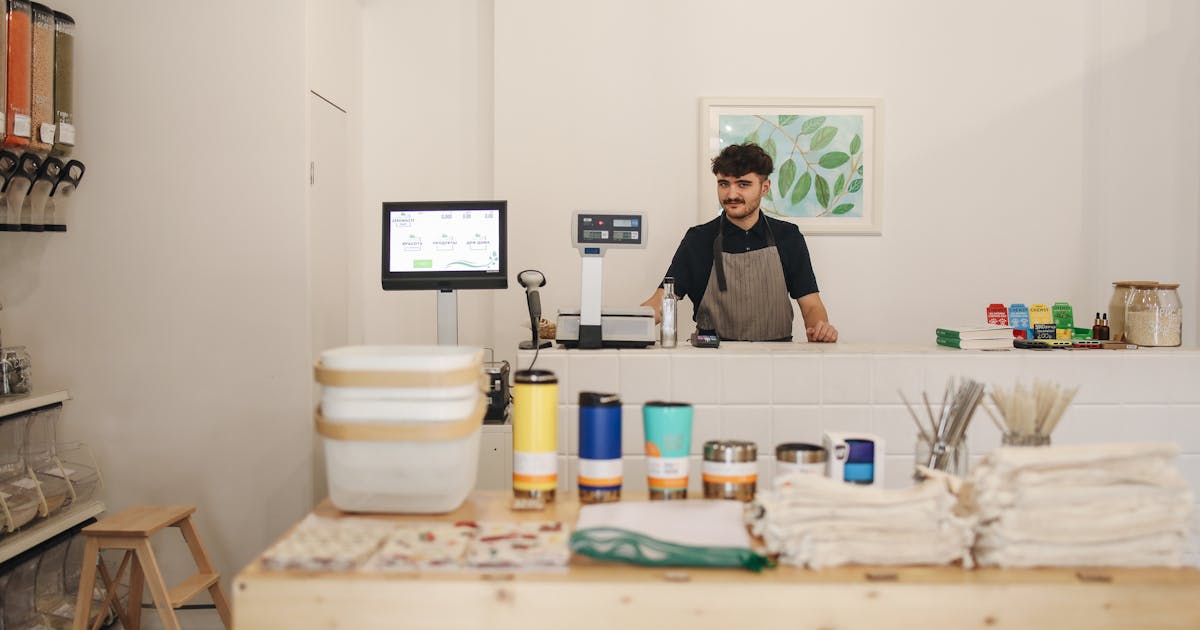
Google My Business, now called Google Business Profile, is the single most important tool for local business visibility on Google. It controls whether you appear in the local pack (the 3 businesses shown on Google Maps for local searches), how your profile looks, and whether customers call, get directions, or visit your website.
This guide covers every part of Google Business Profile optimization, from the fields that affect ranking most to the ongoing activity that keeps your profile competitive.
What changed: Google My Business is now Google Business Profile
Google rebranded Google My Business to Google Business Profile in 2022. The management interface moved from a standalone app and website to being directly accessible through Google Search and Google Maps - you can now edit your profile by searching your business name on Google and clicking "Edit your Business Profile."
Everything in older optimization guides still applies. The interface changed; the ranking factors didn't.
The fields that affect ranking most
Primary category
The most impactful single field in your GBP. Your primary category determines which searches you're eligible to appear for and how strongly you match them.
A business with the wrong primary category - "General Contractor" instead of "Roofing Contractor," "Doctor" instead of "Pediatrician" - is invisible for its most important searches.
How to pick the right one: Search your primary service on Google Maps. Look at the category listed on the profiles of the top 3 businesses. Whatever the most specific accurate option is that matches your core service - that's your primary category.
Secondary categories
Add every category that accurately reflects a service you offer and want leads for. Secondary categories expand the searches you appear for without diluting your primary category match. Most businesses underutilize secondary categories.
Services list
List every service you offer explicitly. Each service entry is an additional search signal. A plumber who lists "water heater replacement," "sewer line repair," and "emergency drain cleaning" separately appears for each of those specific searches. One who only lists "plumbing" misses them all.
Add brief descriptions to each service - 1 to 2 sentences describing what the service involves and who it's for.
Business description
750 characters to describe your business in a way that's useful to customers. Lead with what you do and who you serve. Include your primary city and service area. Mention your key differentiators - licensed, family-owned, 24-hour service, eco-friendly, etc.
Do not keyword-stuff. Google's algorithm treats the description as a quality signal; stuffing it with keywords reads as spam and can suppress your profile.
Completeness signals
A complete profile outranks an equivalent incomplete profile. Fill every available field:
- Hours: Accurate hours for each day, including holiday hours
- Phone: Your primary business phone (the same one on your website)
- Website: Link to your homepage or most relevant landing page
- Attributes: The checkboxes Google offers for your category - "Women-owned," "Veteran-owned," "Wheelchair accessible," "Accepts credit cards," etc. Fill all that apply
- Address / service area: Storefront businesses show their address. Service-area businesses should configure their service area to include every city and zip they actively serve
Photos: the conversion driver
Photos affect both ranking (an active signal) and conversion (customers decide to call based on what they see).
What to add:
- Exterior photo (the front of your business for storefront businesses)
- Interior photos
- Team photos (your actual team, not stock photos)
- Work photos: before/after for service businesses, product photos for retail, food/ambiance for restaurants
- Equipment and vehicle photos for service companies
Frequency: Add new photos at least monthly. Recent photo activity is a positive signal. A profile with 50 photos all added 3 years ago underperforms one with 20 photos added regularly over the past 12 months.
Google Posts: the activity signal
Google Posts are short updates published directly to your GBP - they appear in your profile in Google Search and Maps. Consistent posting signals to Google that your profile is actively managed.
Post at least weekly. Content: promotions, seasonal offers, recent projects, before/after work, service spotlights, staff highlights. Consistent posting signals an actively managed profile, which Google rewards over dormant ones.
Reviews: the ranking and conversion multiplier
Reviews affect local pack ranking through count and velocity - businesses with more reviews and more recent reviews consistently outrank those with fewer and older reviews.
Respond to every review within 24 hours. Responses signal active management and build trust with prospective customers who read your review section before calling.
See the full guide: How to Get More Google Reviews.
The Q&A section: answer before they ask
The Q&A section of your GBP allows customers to ask questions - and anyone (including you) can answer them. Proactively populate this section with the questions customers ask most often: "Do you offer free estimates?" "Are you licensed and insured?" "What areas do you serve?" "Do you accept insurance?"
Pre-populated answers to common questions reduce the friction between profile visit and phone call.
What not to do
Keyword in business name. Adding "[City] Best Plumber" or "[Service] Expert" to your GBP business name violates Google's guidelines and can trigger profile suspension. Your business name should match your actual legal or trade name exactly.
Fake reviews. Google detects patterns in review behavior. Fake review clusters get removed; repeated violations lead to profile suspension.
Stuffing the description. Repeating your city and service 10 times in the business description is detectable by Google and treated as a spam signal.
Setting up and ignoring it. A GBP that was perfectly set up and then abandoned loses ground to active competitors. Ongoing posting, review responses, and photo additions are what hold and build ranking over time.
Get a free local SEO audit that checks every section of your GBP against competitors and shows exactly where the gaps are.
Related: Google Business Profile Optimization Guide | Google Business Profile Categories | How to Get More Google Reviews | Google Business Profile Management
Charles Lau
Founder, Formula Won Labs
Charles Lau is the founder of Formula Won Labs, an AI visibility infrastructure company that helps local businesses rank on Google Maps and get recommended by AI platforms. He works with home service companies, med spas, dental practices, and other local businesses across the US.